Add a Directory Widget to Your HubSpot Site in Minutes
Create a searchable, filterable directory for your HubSpot CMS website. Perfect for partner directories, solution providers, vendor catalogs, and resource centers. No coding required.
Create My DirectoryCards with images, tags, search, and filters. Mobile-responsive.
Compact rows for long directories. Visitors scan and filter fast.
Clean columns for listings with lots of detail. Sort, search, and filter by any column.
Listings on an interactive map. Click a pin, see the details. Color-coded by category.
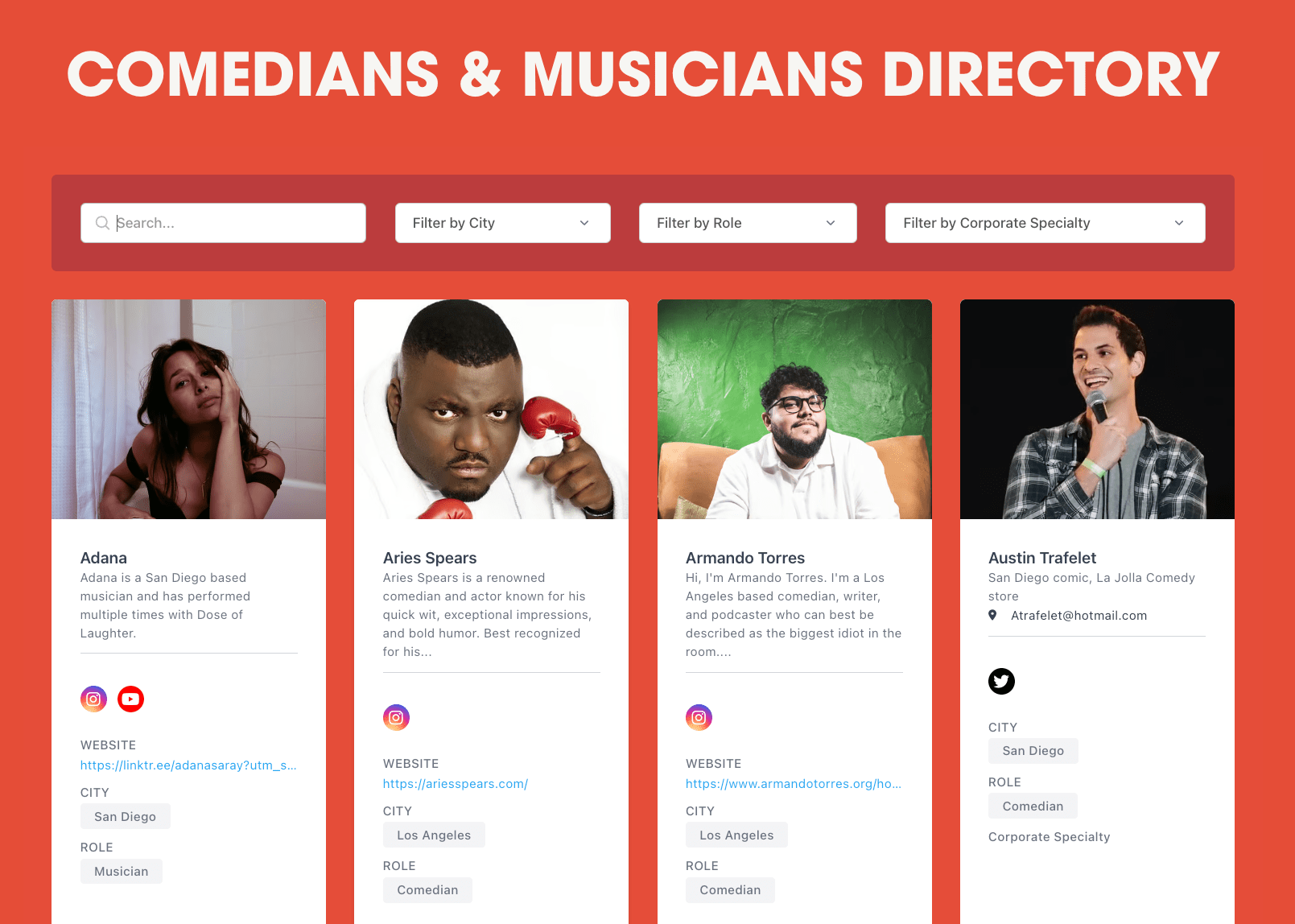
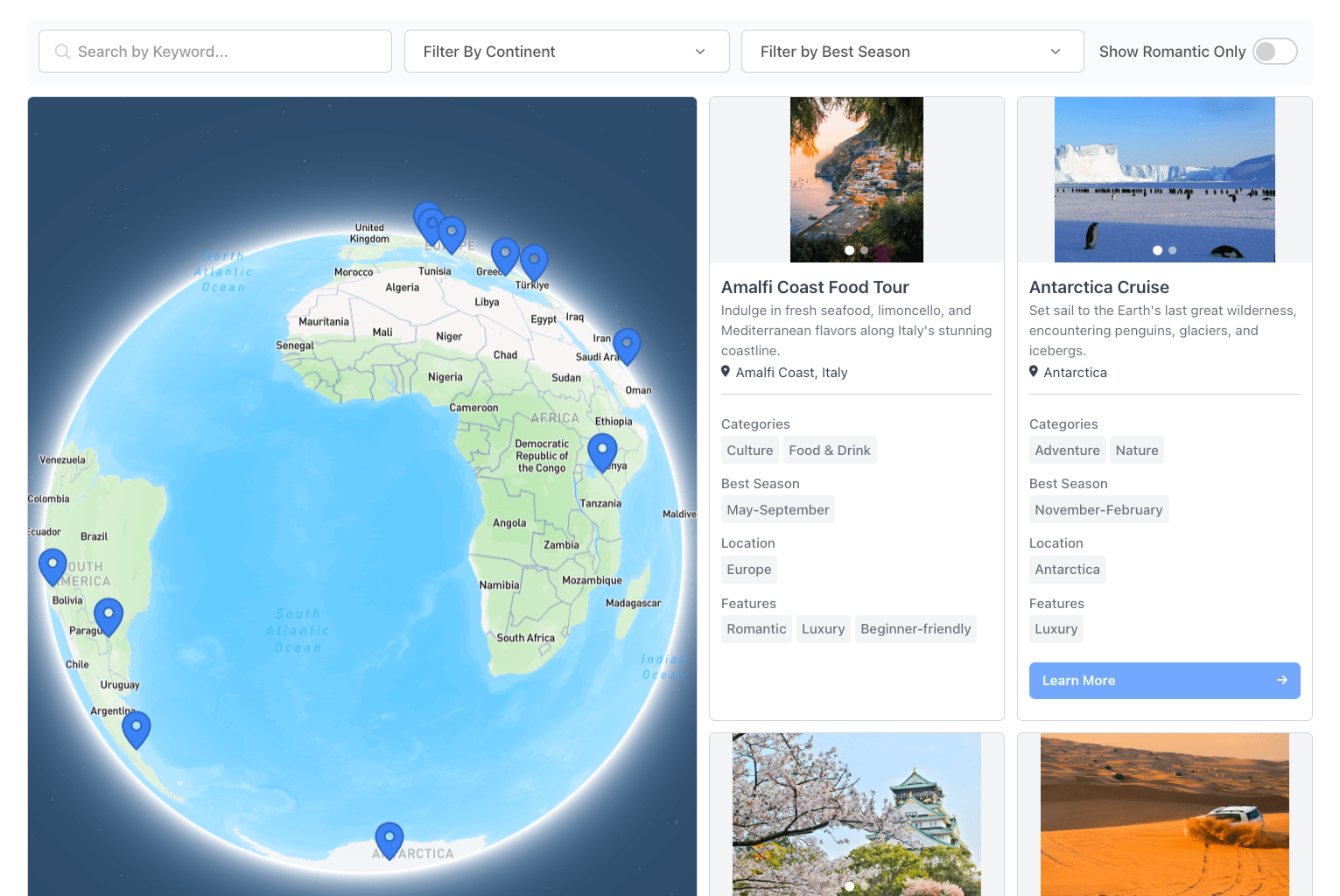
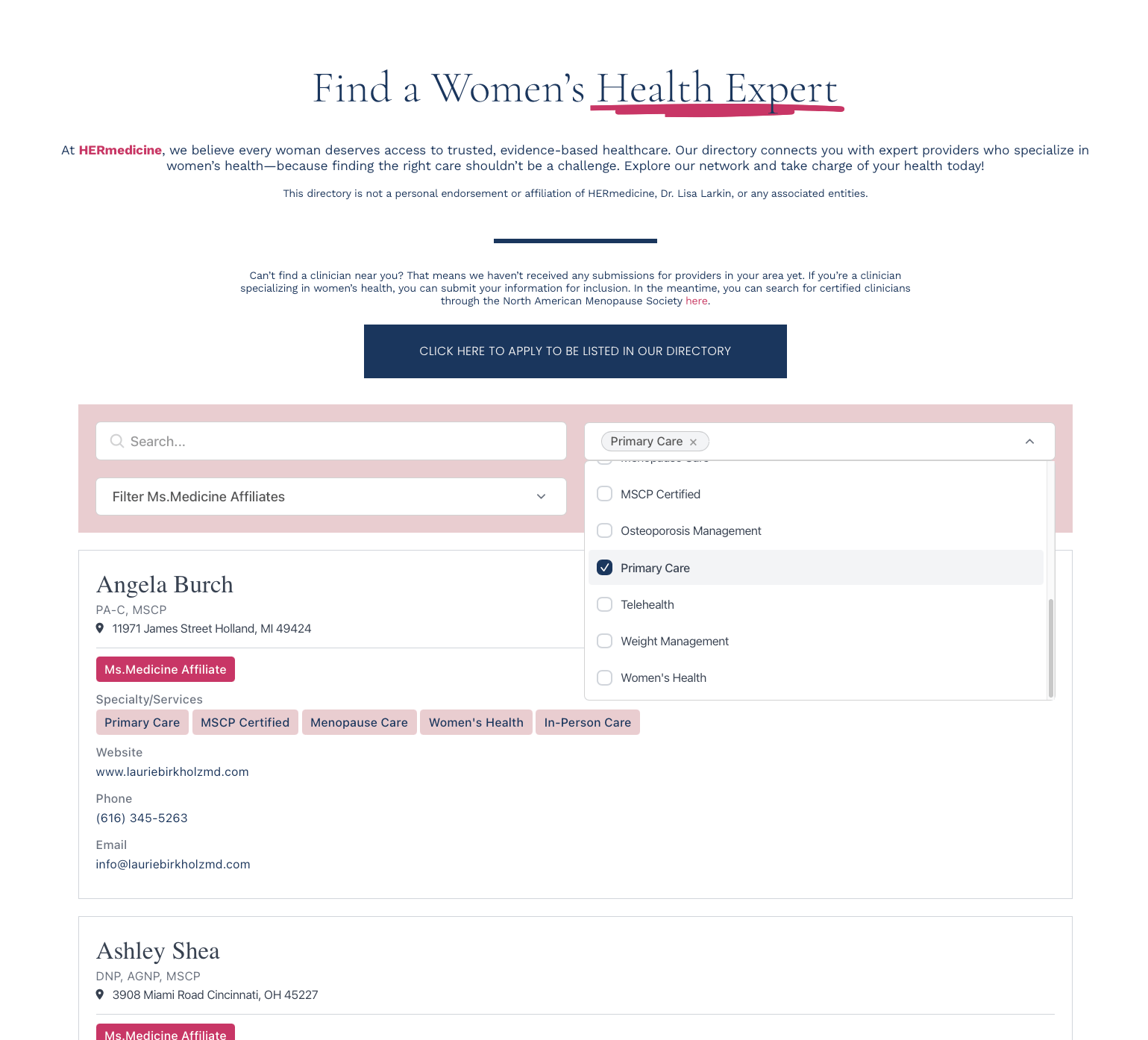
Keyword search, dropdowns, range sliders, location radius, toggles. Filters stack.
Photos, tags, phone, social, links, buttons, rich text, addresses. You pick what each listing shows.
Import a CSV, sync a Google Sheet, add listings by hand, or let people submit their own for your approval. REST API and Zapier too.
Brand colors, fonts, spacing, and rounded corners from the dashboard. Custom CSS on every plan.
From HubSpot signup to live directory.
1Build your directory
Sign up, define your fields, import your data, set your filters and layout.
2Embed on HubSpot
In the HubSpot page editor, click + to add a new module. Search for and select the Custom HTML module (or Embed module). Paste your EmbedDirectory embed code (found in your dashboard) into the HTML field. Click Publish or Update and your directory is live.
3Manage from the dashboard
Edit listings, add new ones, change filters. Changes appear on your HubSpot site within minutes.
HubSpot Directories for B2B & Enterprise
List your certified partners, resellers, or consultants with tier badges, specialties, and region filters on your HubSpot site.
Help prospects find the right solution provider or integration partner from a searchable, filterable directory.
Organize vendors, suppliers, or service providers with category filters, contact details, and comparison fields.
Build a searchable resource library with type filters, topic tags, and descriptions on your HubSpot knowledge base.
HubSpot Directory Widget FAQ
Does it work with HubSpot CMS?
Can I sync directory data from HubSpot CRM?
Will it work with HubSpot's drag-and-drop editor?
Does it work on HubSpot landing pages and blog pages?
Start with a 7-day free trial. Cancel anytime.
- Up to 100 listings
- Search and filters
- Grid & List layouts
- Custom fields
- Basic styling
- Email support
- Up to 500 listings
- Search and filters
- All layouts (Grid, List, Table, Map)
- Custom fields
- Enhanced styling
- Submissions
- Email support
- Up to 2,000 listings
- Everything in Standard, plus:
- API access
- Custom CSS support
- Data sync configuration
- Up to 3 admin users
- Priority support
- Up to 5,000 listings
- Everything in Pro, plus:
- White labeling
- Up to 5 admin users
- Priority support