Create an Interactive Data Table in minutes
Transform your website's data into an elegant, searchable, and filterable table. Perfect for product catalogs, inventory lists, and data collections. No coding required.
Create My Directory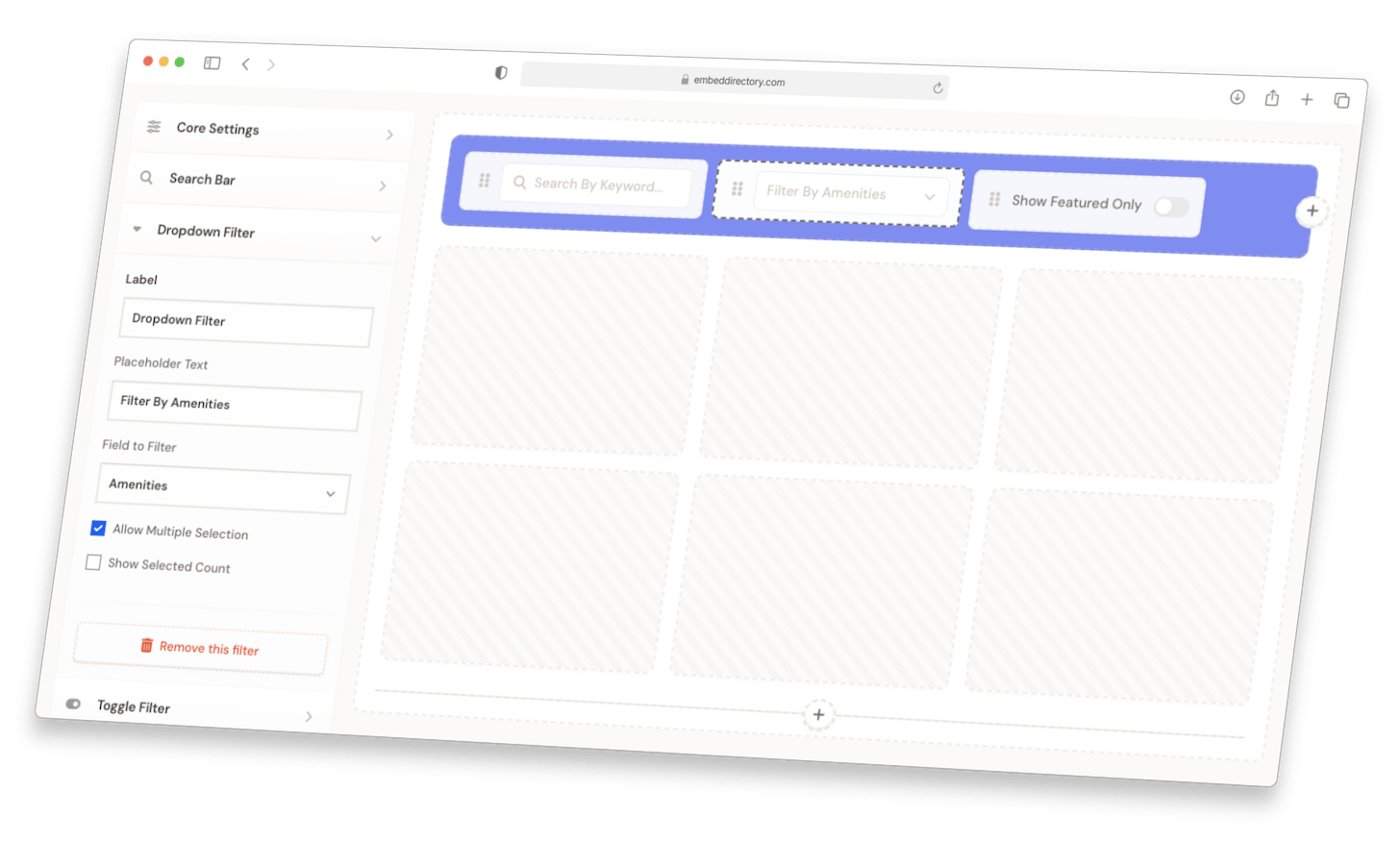
Cards with images, tags, search, and filters. Mobile-responsive.
Compact rows for long directories. Visitors scan and filter fast.
Clean columns for listings with lots of detail. Sort, search, and filter by any column.
Listings on an interactive map. Click a pin, see the details. Color-coded by category.

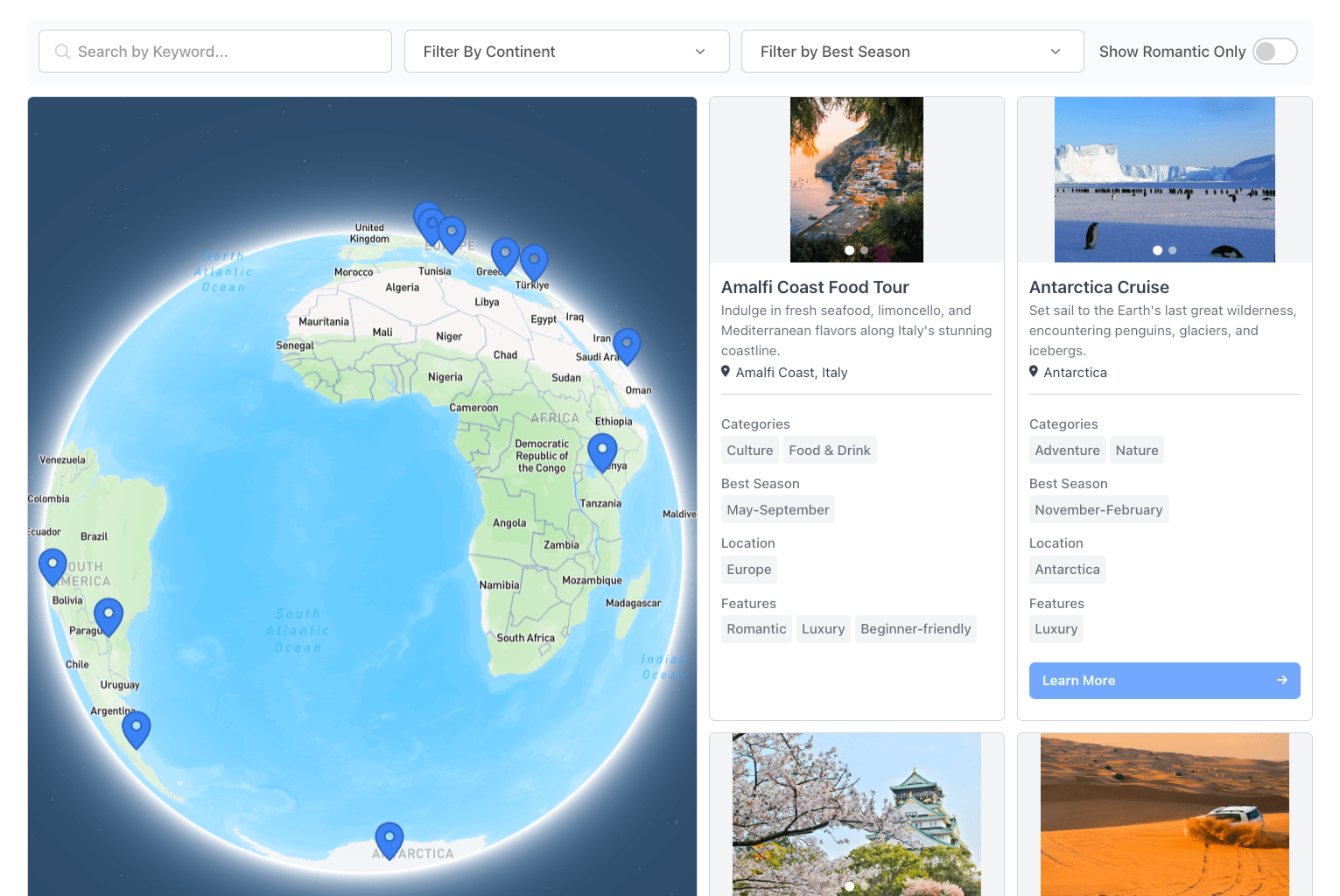
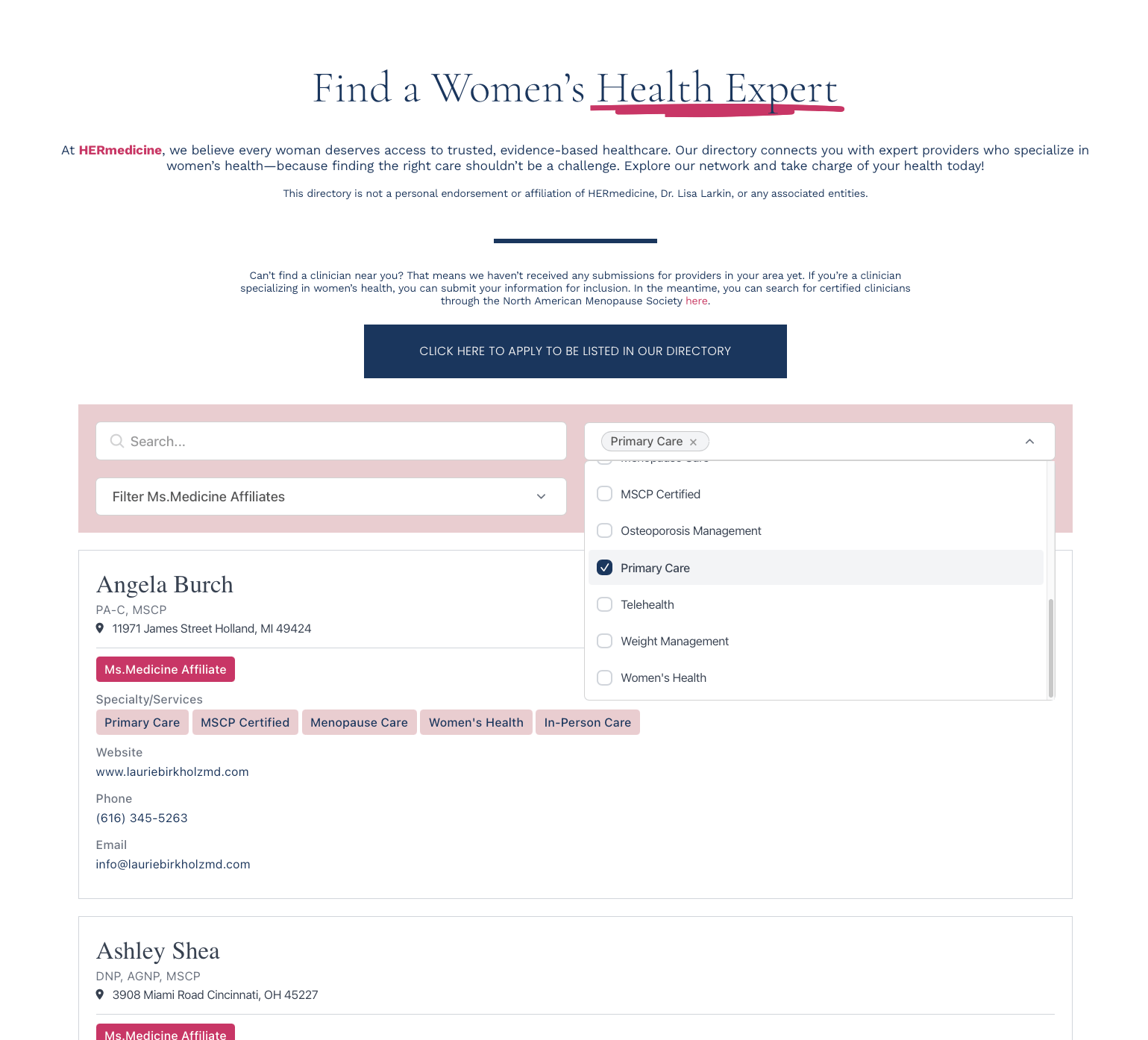
Keyword search, dropdowns, range sliders, location radius, toggles. Filters stack.
Photos, tags, phone, social, links, buttons, rich text, addresses. You pick what each listing shows.
CSV import, Google Sheets sync, manual entry, REST API, or Zapier. Sync hourly, daily, weekly.
Visitors submit listings through JotForm, Typeform, Tally, or Zapier. You approve before they go live.
Four steps from spreadsheet to live Filterable Search Table.
1Add your data
Import a CSV, sync from Google Sheets, add listings by hand, or accept submissions through a form.
2Pick your layout
Grid, list, table, or map. Set brand colors and fonts so the directory looks like the rest of your site.
3Set up search & filters
Keyword search, category dropdowns, location radius, range sliders, toggles. Drag to reorder.
4Paste one snippet
Copy the embed code and drop it into your page. Dashboard changes appear on the site within minutes.
1Import Your Data
Upload your table data via CSV, spreadsheet, or manually input your entries through our user-friendly dashboard.
2Customize Your Table
Configure search fields, filters, and sorting options. Style your table to match your website's design.
3Embed On Your Site
Copy the embed code and paste it into your website where you want the searchable table to appear.
Instant search functionality that filters results as users type, with support for multiple search fields and operators.
Create custom filters for any column, including dropdown menus, range sliders, and checkbox options.
Enable column sorting with multiple sort levels and custom sort rules for any data type.
Tables automatically adjust to screen size with horizontal scrolling and smart column stacking on mobile devices.
We needed a way to display our product catalog that was both searchable and filterable. EmbedDirectory's table solution was perfect - it took us less than an hour to set up, and our customers love how easy it is to find products.
Start with a 7-day free trial. Cancel anytime.
- Up to 100 listings
- Search and filters
- Grid & List layouts
- Custom fields
- Basic styling
- Email support
- Up to 500 listings
- Search and filters
- All layouts (Grid, List, Table, Map)
- Custom fields
- Enhanced styling
- Submissions
- Email support
- Up to 2,000 listings
- Everything in Standard, plus:
- API access
- Custom CSS support
- Data sync configuration
- Up to 3 admin users
- Priority support
- Up to 5,000 listings
- Everything in Pro, plus:
- White labeling
- Up to 5 admin users
- Priority support