Turn JotForm submissions into a searchable directory.
Each JotForm submission lands in your inbox. Approve to publish as a new listing or update an existing one. The directory embeds anywhere with one snippet.
Create My DirectoryJotForm submissions become searchable listings.
Vendors submit via JotForm. You review and approve. They appear in your directory.
New members fill out a form. Approve and they join your searchable member directory.
Healthcare or service providers submit their info. You curate and publish.
Organizations submit resources. Review and add to your community directory.


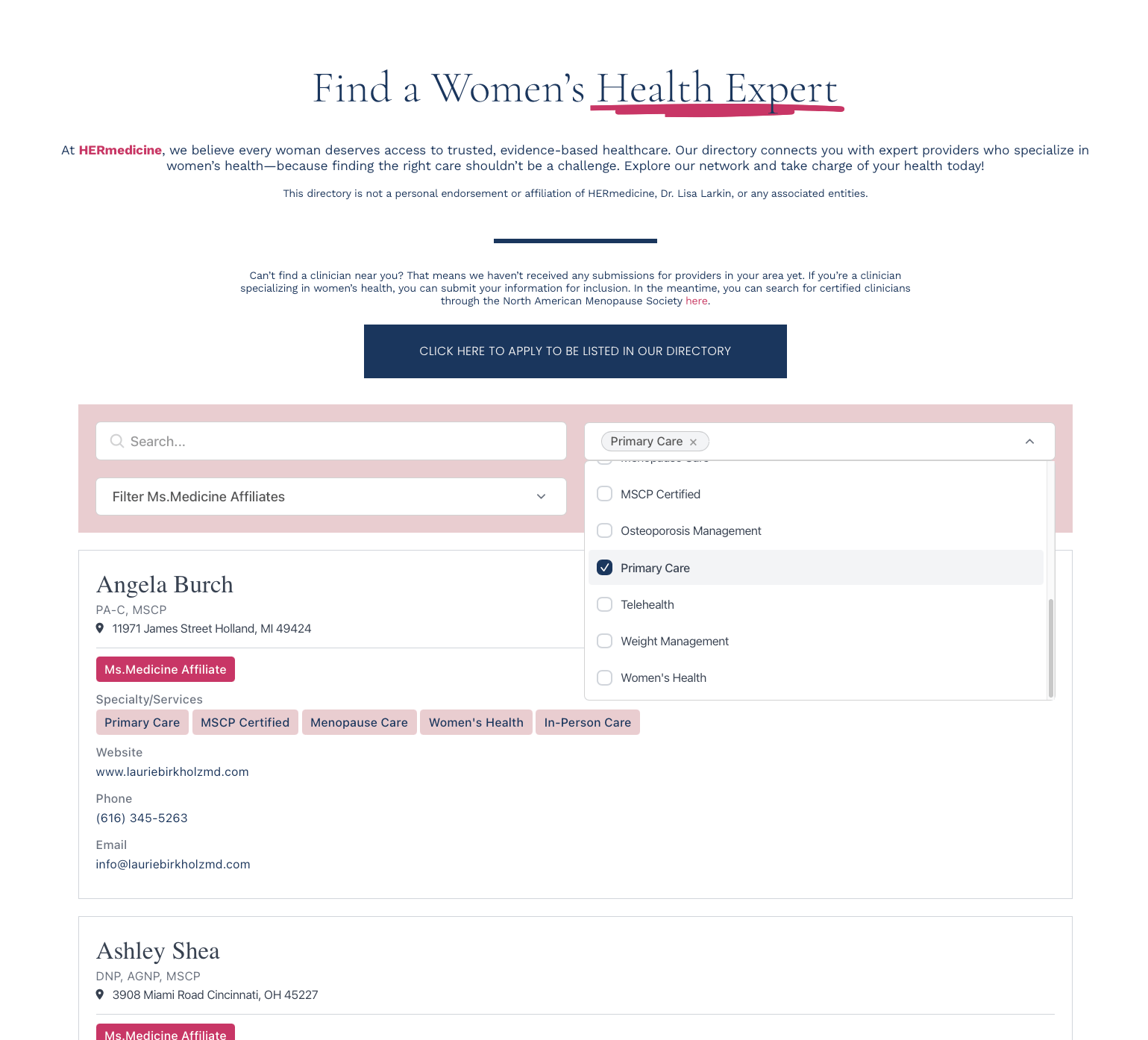
JotForm Directory Features
JotForm sends submissions straight to EmbedDirectory. No Zapier or middleware needed.
Map JotForm fields to directory fields. Name, email, category, description, and more.
Submissions arrive as drafts. Approve or reject before they go live in your directory.
Add listings manually too. Mix form submissions with imported or hand-entered data.
Grid, list, table, or map. Choose the layout that fits your directory.
Paste one code snippet. Works with WordPress, Squarespace, Wix, Webflow, and any website.
From JotForm submission to live listing.
1. Define directory fields
Pick what each listing shows: name, category, description, contact details, photos.
2. Connect the webhook
Paste the EmbedDirectory webhook URL into your JotForm. Submissions flow straight in.
3. Map form fields
Match JotForm question IDs to your directory fields. One-time setup.
4. Approve and publish
Submissions arrive as drafts. Approve to publish, reject to discard. Or auto-publish if you trust the source.