Create a Case Studies Directory in minutes
Build an impressive, filterable case studies showcase for your website. Perfect for displaying client success stories, portfolio items, and project achievements. No coding needed.
Create My Directory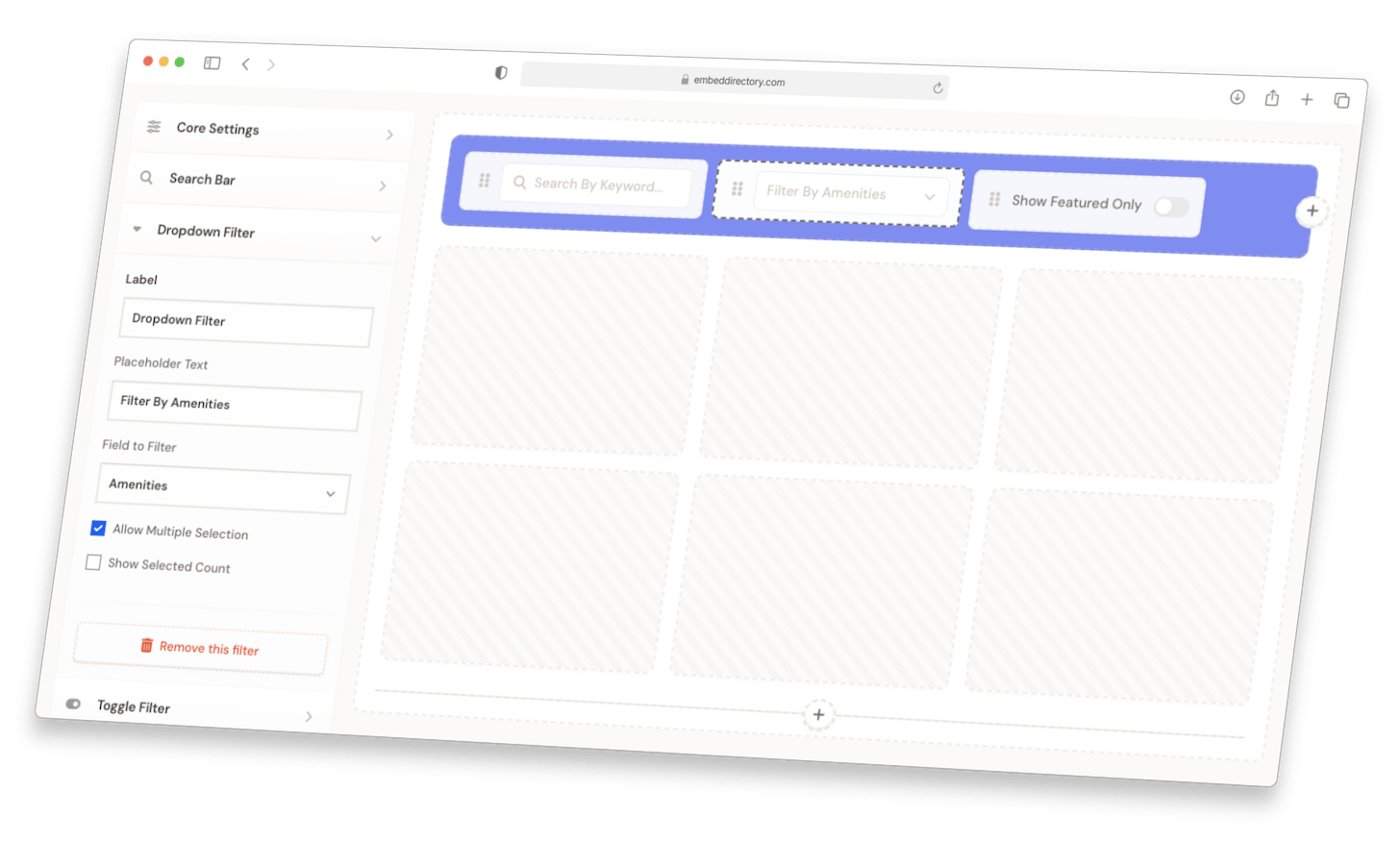
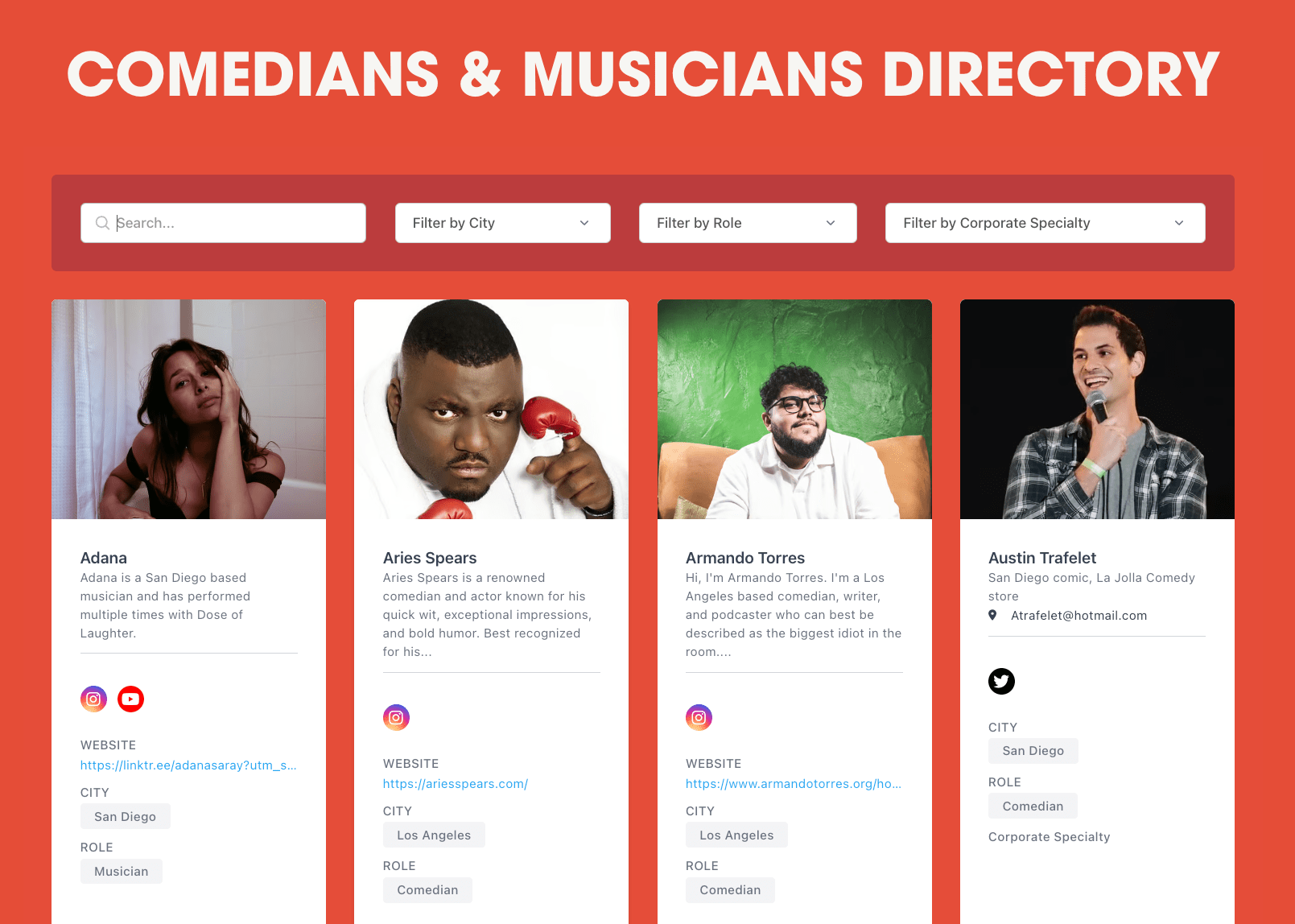
Cards with images, tags, search, and filters. Mobile-responsive.
Compact rows for long directories. Visitors scan and filter fast.
Clean columns for listings with lots of detail. Sort, search, and filter by any column.
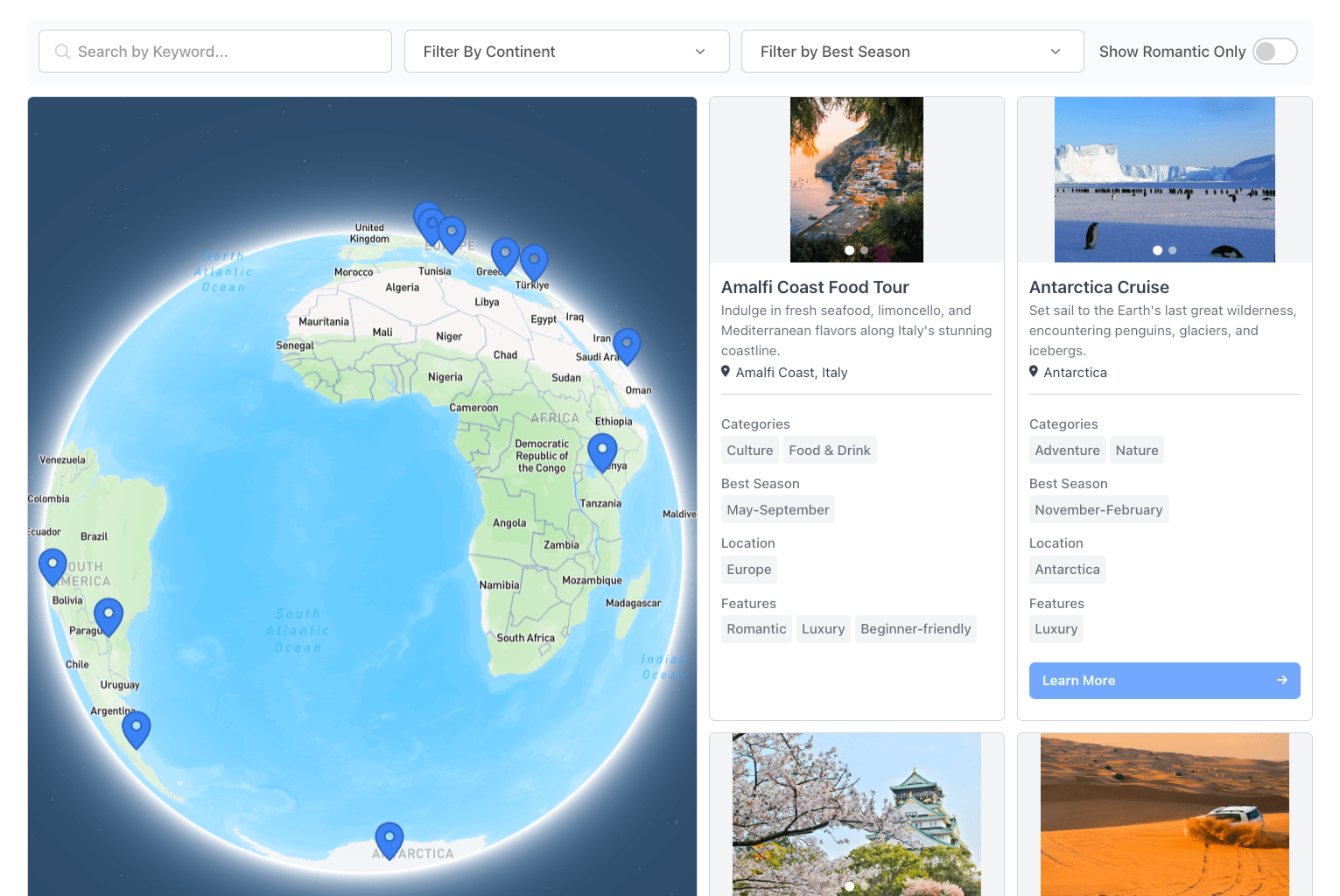
Listings on an interactive map. Click a pin, see the details. Color-coded by category.
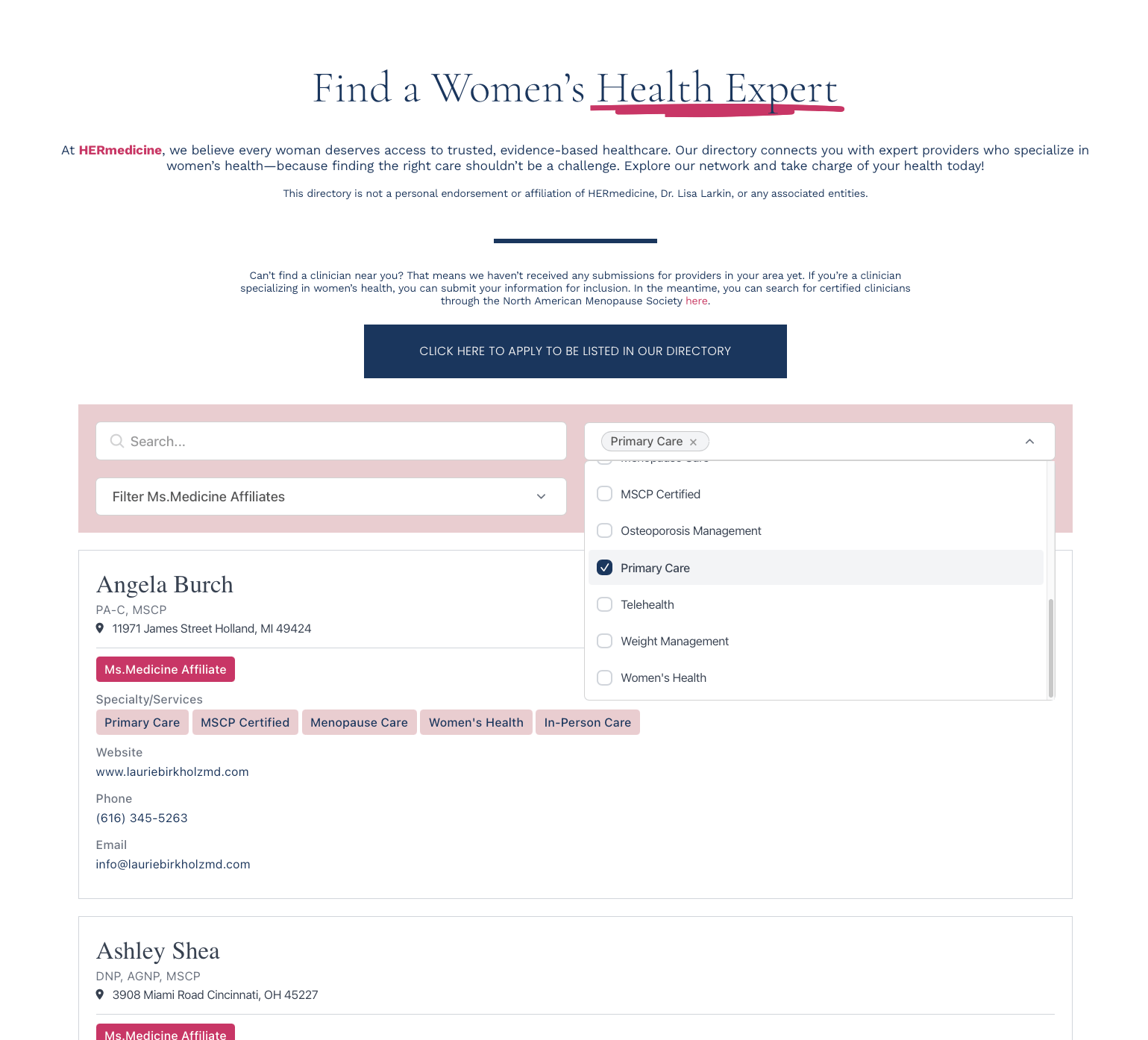
Keyword search, dropdowns, range sliders, location radius, toggles. Filters stack.
Photos, tags, phone, social, links, buttons, rich text, addresses. You pick what each listing shows.
CSV import, Google Sheets sync, manual entry, REST API, or Zapier. Sync hourly, daily, weekly.
Visitors submit listings through JotForm, Typeform, Tally, or Zapier. You approve before they go live.
Four steps from spreadsheet to live Case Studies Directory.
1Add your data
Import a CSV, sync from Google Sheets, add listings by hand, or accept submissions through a form.
2Pick your layout
Grid, list, table, or map. Set brand colors and fonts so the directory looks like the rest of your site.
3Set up search & filters
Keyword search, category dropdowns, location radius, range sliders, toggles. Drag to reorder.
4Paste one snippet
Copy the embed code and drop it into your page. Dashboard changes appear on the site within minutes.
1Import Your Case Studies
Upload your case studies via CSV or manually add them through our user-friendly dashboard. Include titles, categories, results, and other relevant details.
2Customize Your Directory
Choose your preferred layout, set up filters based on industries, results, or categories, and style everything to match your brand.
3Embed On Your Website
Copy the embed code and paste it on your website. Your interactive case studies directory will be live instantly.
Help visitors find relevant case studies with filters for industry, results achieved, company size, and project type.
Highlight key metrics and results with custom fields for ROI, statistics, testimonials, and before/after comparisons.
Switch between grid and list views, featuring thumbnails, quick result previews, and detailed case study information.
Your case studies directory looks and works perfectly on all devices, from desktop to mobile.
The filterable case studies directory transformed how we showcase our success stories. Our prospects can now easily find relevant examples, and our conversion rate has increased by 40% since implementation.
Setting up our case studies directory took less than an hour, and maintaining it is incredibly simple. The ability to standardize how we present our results has made our success stories much more impactful.
Start with a 7-day free trial. Cancel anytime.
- Up to 100 listings
- Search and filters
- Grid & List layouts
- Custom fields
- Basic styling
- Email support
- Up to 500 listings
- Search and filters
- All layouts (Grid, List, Table, Map)
- Custom fields
- Enhanced styling
- Submissions
- Email support
- Up to 2,000 listings
- Everything in Standard, plus:
- API access
- Custom CSS support
- Data sync configuration
- Up to 3 admin users
- Priority support
- Up to 5,000 listings
- Everything in Pro, plus:
- White labeling
- Up to 5 admin users
- Priority support