Create a Case Studies Directory in minutes
Build an impressive, filterable case studies showcase for your website. Perfect for displaying client success stories, portfolio items, and project achievements. No coding needed.
Easy Setup
Powerful Features
Fully Customizable
Free Trial
Card-based grid with search, filters, and sorting. Responsive across all devices.
Compact row-based layout for quick scanning. Search, filter, and browse efficiently.
Structured columns with headers. Sort, search, and filter data-rich listings.
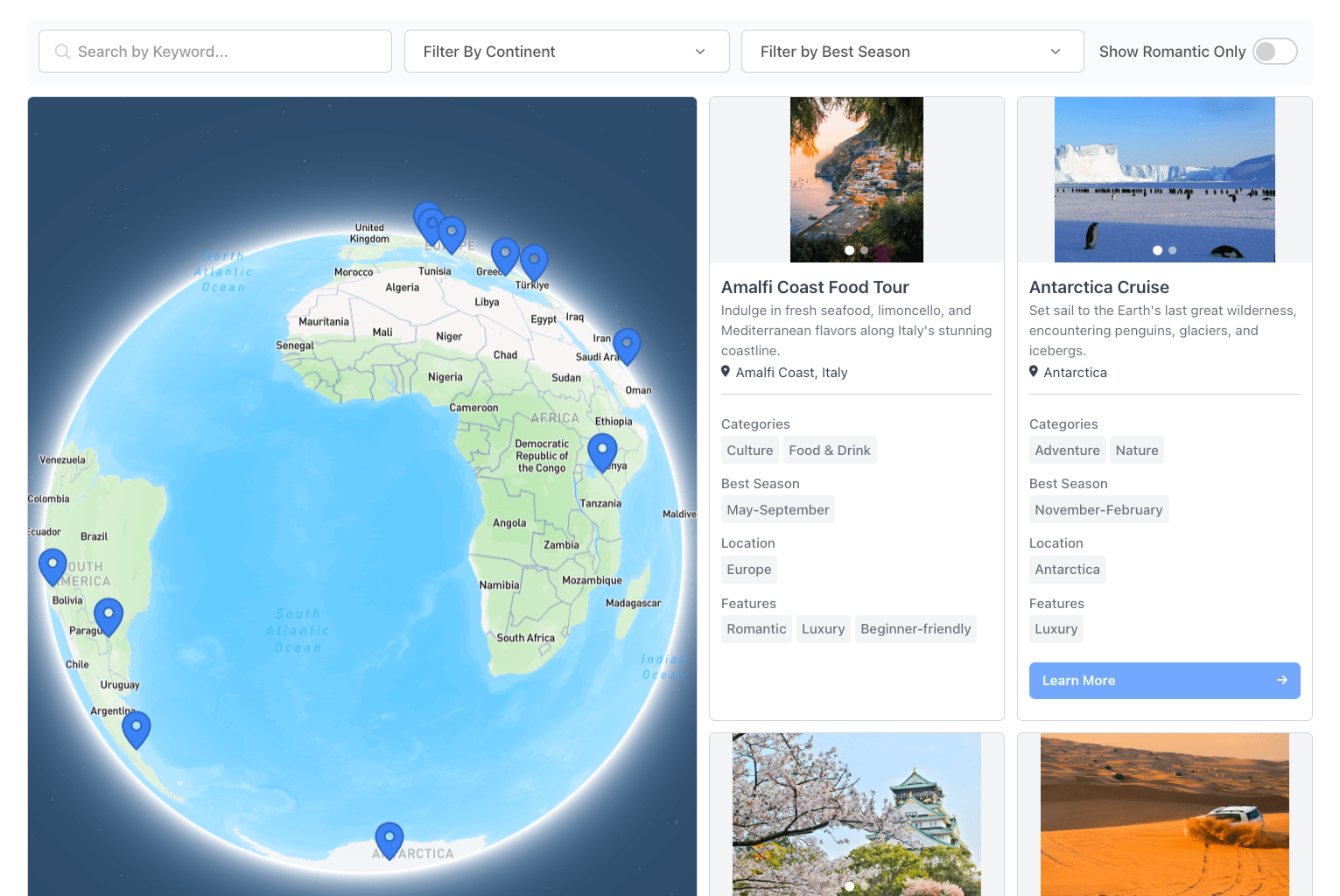
Interactive map with clickable pins. Color-code markers by category or field value.

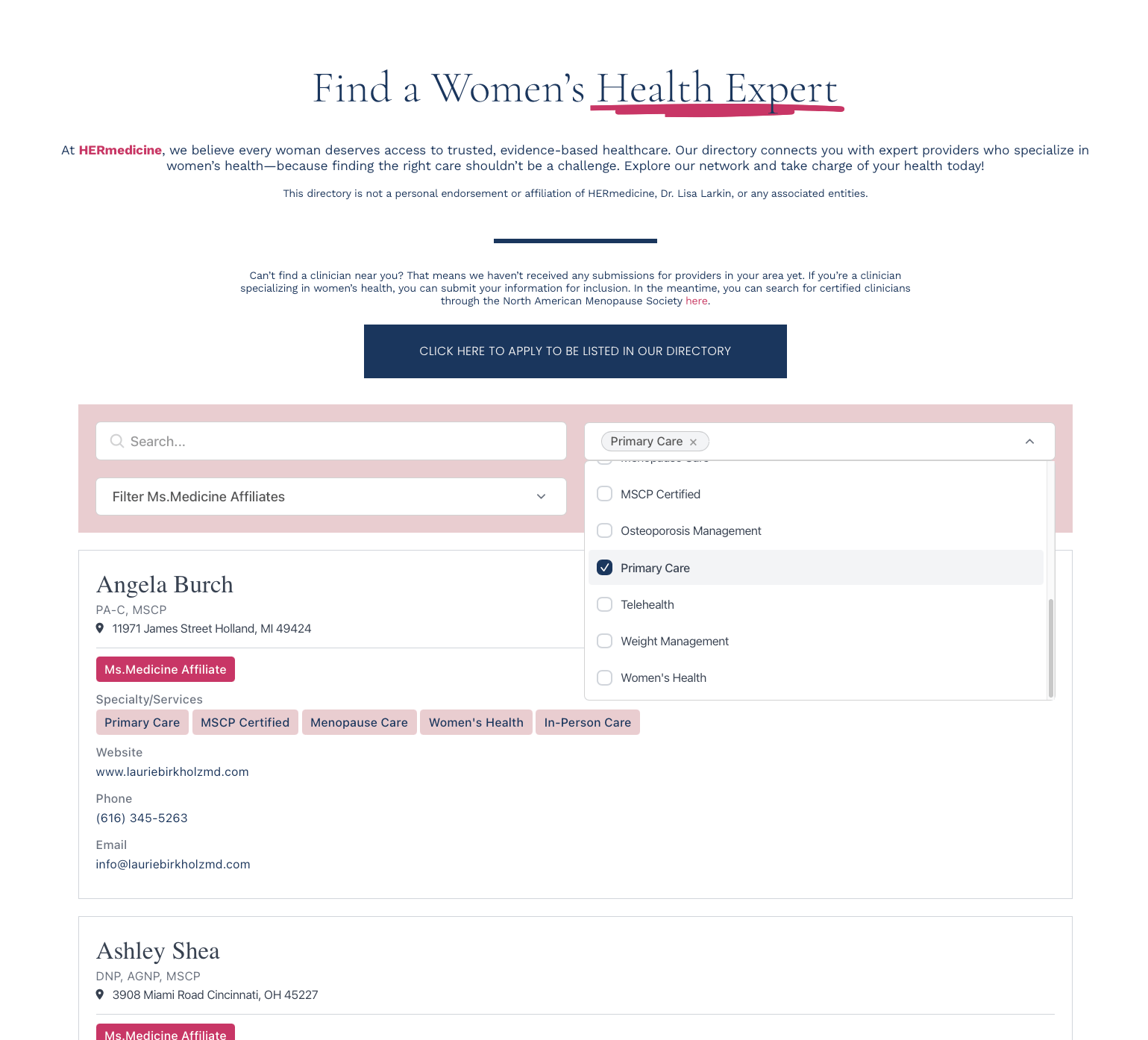
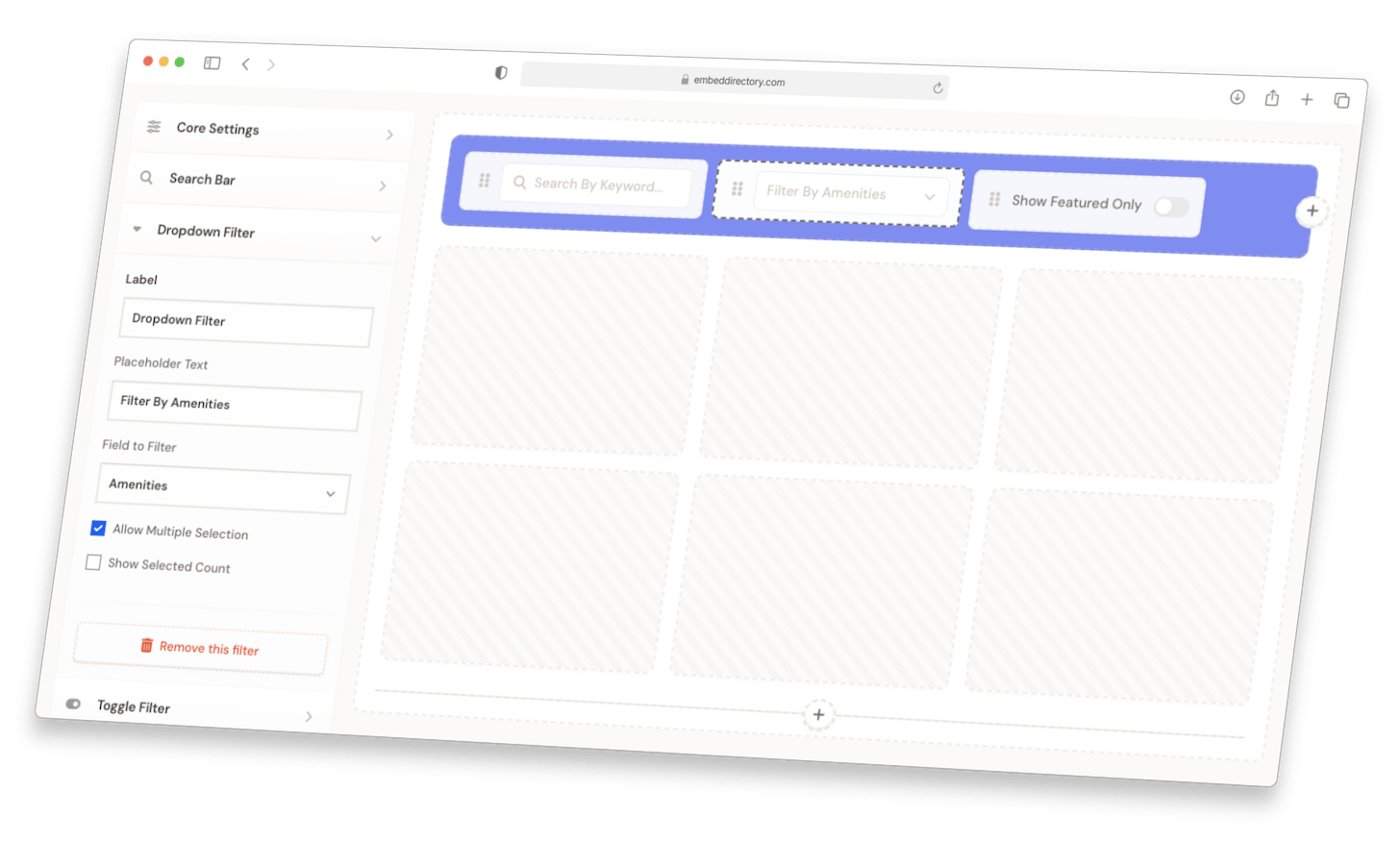
Keyword search, category filters, sorting, and range selectors. Visitors find listings fast.
Display listings on a map with clickable, color-coded pins. Browse by location.
Define what each listing shows. Photos, links, categories, contact info, and more.
Bulk import from spreadsheets or auto-sync from Google Sheets.
Accept listings via JotForm, Typeform, Tally, or Zapier. Review before publishing.
One embed snippet. Works on WordPress, Squarespace, Wix, Webflow, and more.
Grid, list, table, or map. Customize colors and fonts to match your brand.
Connect via API, Zapier, or Google Sheets. Keep your directory in sync.
Create your Case Studies Directory in minutes.
1Add Your Data
Import from a spreadsheet, add manually, or connect a form for submissions. Set up custom fields for your listings.
2Choose Your Design
Pick a layout. Grid, list, table, or map. Style it to match your brand.
3Add Search & Filters
Add keyword search, category filters, sorting, and more. Help visitors find what they need.
4Embed on Your Site
Paste one code snippet. Updates sync automatically.
1Import Your Case Studies
Upload your case studies via CSV or manually add them through our user-friendly dashboard. Include titles, categories, results, and other relevant details.
2Customize Your Directory
Choose your preferred layout, set up filters based on industries, results, or categories, and style everything to match your brand.
3Embed On Your Website
Copy the embed code and paste it on your website. Your interactive case studies directory will be live instantly.
Help visitors find relevant case studies with filters for industry, results achieved, company size, and project type.
Highlight key metrics and results with custom fields for ROI, statistics, testimonials, and before/after comparisons.
Switch between grid and list views, featuring thumbnails, quick result previews, and detailed case study information.
Your case studies directory looks and works perfectly on all devices, from desktop to mobile.
The filterable case studies directory transformed how we showcase our success stories. Our prospects can now easily find relevant examples, and our conversion rate has increased by 40% since implementation.
Setting up our case studies directory took less than an hour, and maintaining it is incredibly simple. The ability to standardize how we present our results has made our success stories much more impactful.
Start with a 7-day free trial. Cancel anytime.
- Up to 100 listings
- Search and filters
- Grid & List layouts
- Custom fields
- Basic styling
- Email support
- Up to 500 listings
- Search and filters
- All layouts (Grid, List, Table, Map)
- Custom fields
- Enhanced styling
- Submissions
- Email support
- Up to 2,000 listings
- Everything in Standard, plus:
- API access
- Custom CSS support
- Data sync configuration
- Up to 3 admin users
- Priority support
- Up to 5,000 listings
- Everything in Pro, plus:
- White labeling
- Up to 5 admin users
- Priority support